Company Logo
CyberBill Cybersecurity Academy

Become a Certified Cybersecurity Professional in 6 Months

The CyberBill Cybersecurity Academy is a structured six-month, hands-on training program designed to transform complete beginners into confident, job-ready cybersecurity professionals. Rather than learning isolated concepts, you'll progressively build, secure, monitor, and defend a realistic enterprise environment while mastering the knowledge required for the CompTIA Security+ (SY0-701) and ISC² Certified in Cybersecurity (CC) certifications.

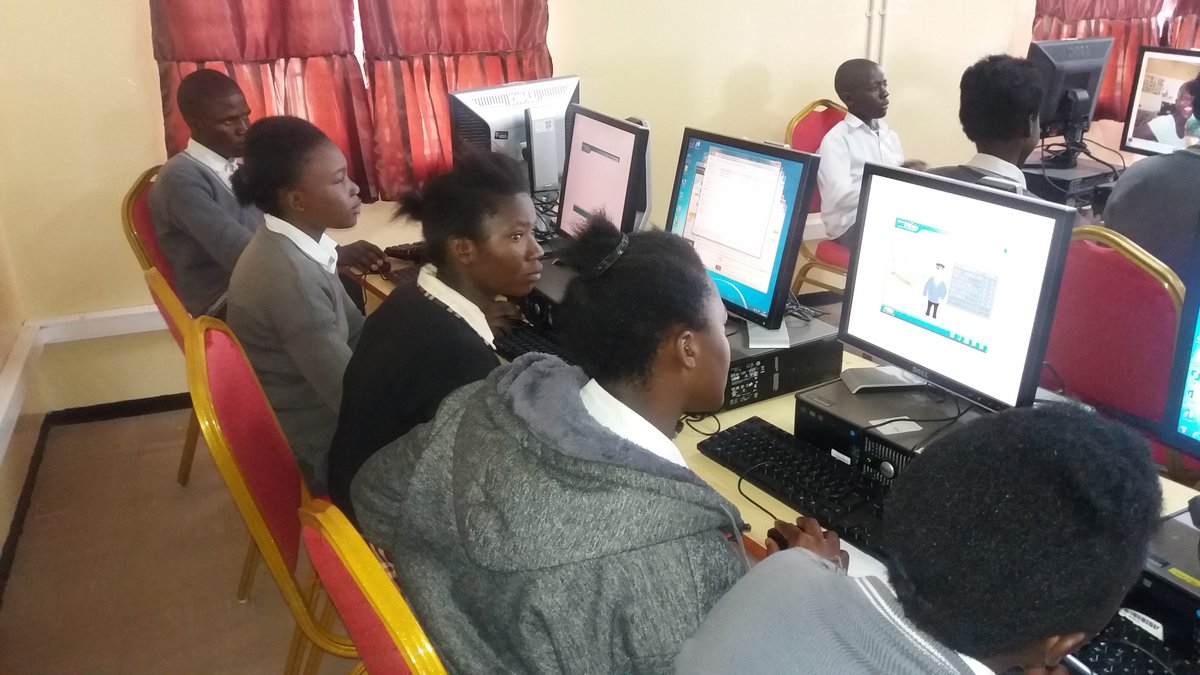
Through instructor-led classes, an interactive Learning Management System (LMS), practical laboratories, real-world assignments, enterprise projects, continuous WhatsApp mentoring, and a comprehensive capstone simulation, you'll gain both the theoretical understanding and practical experience expected of today's cybersecurity professionals. The program also provides a solid foundation for learners who intend to pursue certifications such as Certified Ethical Hacker (CEH) and other advanced cybersecurity specializations.

Throughout the academy, you will assume the role of a cybersecurity professional responsible for protecting a fictional multinational organization, applying industry-standard frameworks, security tools, and best practices to solve real-world security challenges. By graduation, you'll have developed a professional portfolio that demonstrates your technical skills, problem-solving ability, and readiness for entry-level cybersecurity roles.

Duration: 6 Months   |   Delivery: Live Classes, LMS, Hands-on Labs & Continuous Mentorship   |   Focus: ISC² CC, CompTIA Security+ (SY0-701) & Job Readiness

Cybersecurity Foundations
Month 1: Cybersecurity Foundations, Governance & Professional Lab Setup

Duration: 4 Weeks • Est. Learning Time: 35–45 Hours

Certification Alignment: ISC² CC – Security Principles, Business Continuity, Access Controls (intro); CompTIA Security+ SY0‑701 Domains 1 & 5 (foundations)

Month Overview
Welcome to your cybersecurity journey. During this month, students build the foundation upon which every future topic will depend. Rather than memorizing definitions, learners begin thinking like security professionals by understanding how organizations identify assets, manage risks, establish governance, and secure their environments. Students will also build the CyberBill Academy virtual laboratory that will be used throughout the six‑month program. The continuous capstone project begins here with the creation of the fictional company Nexus Global Fintech (NGF), which students will secure and defend throughout the academy.

Learning Outcomes
By the end of Month One, students should be able to:

  • Explain fundamental cybersecurity concepts.
  • Differentiate threats, vulnerabilities, risks, and controls.
  • Explain the CIA Triad and other core security principles.
  • Identify common threat actors and attack vectors.
  • Explain governance, compliance, and risk management concepts.
  • Develop basic security documentation.
  • Build and configure a professional virtual cybersecurity lab.
  • Perform basic Linux command‑line operations.
  • Navigate virtual machines confidently.
  • Begin documenting security decisions professionally.

Software & Tools
Students install and configure: Oracle VirtualBox (or VMware Workstation Player), Ubuntu Desktop, Windows 11 Evaluation VM, Kali Linux, Visual Studio Code, Git, GitHub Desktop, 7‑Zip, Notepad++, Draw.io (or diagrams.net), Microsoft Office or LibreOffice.

Professional Skills Developed
Technical documentation, analytical thinking, risk identification, communication, report writing, security awareness, team collaboration, research skills.

Continuous Capstone Project – Nexus Global Fintech (NGF)
Throughout the academy students work as Junior Security Analysts responsible for protecting Nexus Global Fintech, a fictional multinational financial technology company. Month One establishes the company's: business profile, critical assets, security objectives, initial policies, risk register, and virtual lab environment. Every subsequent month expands this same enterprise.


Week 1: Introduction to Cybersecurity & Professional Lab Setup

  • Theme: Introduction to Cybersecurity & Professional Lab Setup
  • Lessons: What is Cybersecurity? Career Pathways. The Security Mindset. Cyber Threat Landscape. Assets, Threats, Vulnerabilities and Risks. Introduction to the CIA Triad. Overview of ISC² CC & Security+ SY0‑701.
  • Live Class: Academy orientation, course walkthrough, certification roadmap, career opportunities, Q&A.
  • Hands‑on Lab: Build the CyberBill Cyber Lab – install VirtualBox, create virtual machines, configure networking, create snapshots, test VM connectivity.
  • Assignment: Research a major cyberattack and identify: assets affected, threat actor, vulnerabilities exploited, business impact, recommended controls.
  • WhatsApp Activity: Introduce yourself and share your cybersecurity career goals.
  • Weekly Quiz: 20 questions.
  • Capstone Task: Create the organizational profile for Nexus Global Fintech, including its business operations, locations, departments, and critical information assets.

Week 2: Core Security Principles & Security Awareness

  • Theme: Core Security Principles & Security Awareness
  • Lessons: CIA Triad in depth, AAA, Non‑repudiation, Security controls, Threat actors, Social engineering, Human risk, Security awareness.
  • Live Class: Analyzing real‑world security incidents.
  • Hands‑on Lab: Implement strong password policies, multi‑factor authentication, password manager setup, secure browsing practices.
  • Assignment: Analyze three real phishing emails and identify indicators of compromise.
  • WhatsApp Activity: Daily "Spot the Phish" challenge.
  • Weekly Quiz: 20 questions.
  • Capstone Task: Develop a security awareness plan for NGF employees.

Week 3: Governance, Risk Management & Compliance

  • Theme: Governance, Risk Management & Compliance
  • Lessons: Governance, Policies, Standards, Procedures, Guidelines, Risk management, Compliance, NIST Cybersecurity Framework, ISO 27001, CIS Controls.
  • Live Class: Risk assessment workshop.
  • Hands‑on Lab: Create a risk register, asset inventory, and risk matrix.
  • Assignment: Write an Acceptable Use Policy (AUP) for NGF.
  • WhatsApp Activity: Discuss the consequences of poor governance using recent cybersecurity news.
  • Weekly Quiz: 20 questions.
  • Capstone Task: Prepare the first version of NGF's Security Governance Manual.

Week 4: Linux Fundamentals & Virtualization Security

  • Theme: Linux Fundamentals & Virtualization Security
  • Lessons: Linux architecture, File system, Terminal navigation, Users and groups, Permissions, Package management, Virtualization concepts, Hypervisors, Snapshot management.
  • Live Class: Linux command‑line demonstration and Q&A.
  • Hands‑on Lab: Navigate the Linux file system, create users, manage permissions, install software, secure SSH, create VM snapshots, restore snapshots.
  • Assignment: Perform a basic hardening checklist on the Ubuntu virtual machine and document all changes made.
  • WhatsApp Activity: Daily Linux command challenge.
  • Weekly Quiz: 20 questions.
  • Capstone Task: Deploy and document the first secure Linux server for Nexus Global Fintech.

Month 1 Practical Challenge
Students will independently: build a functioning cybersecurity lab; configure virtual networking; document their environment; demonstrate Linux command‑line proficiency; produce a basic risk assessment for NGF; and present their findings in a professional report.

Month 1 Project – Establishing the Security Foundation for Nexus Global Fintech
Students will submit a portfolio containing: NGF Company Profile, Asset Inventory, Risk Register, Acceptable Use Policy, Security Awareness Plan, Linux Server Build Documentation, Virtual Lab Network Diagram, Screenshots of the completed lab, and a Reflection on lessons learned.

Month 1 Assessment
Weekly Quizzes (20%) · Hands‑on Labs (25%) · Assignments (20%) · Monthly Project (25%) · Participation (WhatsApp & Live Sessions) (10%)

Certification Coverage
This month addresses foundational objectives from both ISC² CC and CompTIA Security+ SY0‑701, particularly around security principles, governance, risk management, security awareness, and introductory system administration.

Monthly Bonus: Guided study in TryHackMe portal

Enterprise Networking & Network Security
Month 2: Enterprise Networking & Network Security

Duration: 4 Weeks • Est. Learning Time: 40–50 Hours

Certification Alignment: ISC² CC (Domains 2, 3, 4, 5) • CompTIA Security+ SY0‑701 (Domains 1, 2, 3, 4)

Month Overview
Welcome to Month 2. Now that Nexus Global Fintech (NGF) has established its governance framework, security policies, and foundational infrastructure, the next responsibility is designing and securing the company's enterprise network. This month introduces students to the technologies that enable devices, servers, users, and cloud services to communicate securely. Students will learn how networks function, how attackers exploit them, and how security professionals defend them. The practical focus is on designing, configuring, analyzing, troubleshooting, and securing enterprise networks using industry‑standard tools. By the end of the month, students will have built and documented a secure virtual enterprise network capable of supporting NGF's expanding infrastructure.

Mission Brief – Mission Code: NGF-002
Congratulations! The executive management of Nexus Global Fintech (NGF) has approved your security governance framework. Your cybersecurity team has now been assigned a new responsibility: Design and secure the company's internal network before new departments and employees are onboarded. Your objectives this month are to:

  • Build the enterprise network
  • Understand how information travels
  • Secure communications
  • Detect insecure configurations
  • Analyze packets
  • Deploy network security controls
  • Prepare the infrastructure for Windows Server, Linux Servers, Active Directory and Cloud services in upcoming months

Learning Outcomes
By the end of Month Two students should be able to:

  • Explain the OSI and TCP/IP models
  • Understand IPv4 and IPv6 addressing
  • Perform subnetting calculations
  • Explain common enterprise network protocols
  • Capture and analyze packets using Wireshark
  • Configure virtual network segments
  • Explain VLANs, routing and switching concepts
  • Configure basic firewall rules
  • Explain VPN technologies
  • Identify common network attacks
  • Apply network security best practices
  • Document enterprise network architecture

Software & Tools
Students will install or continue using:

  • Cisco Packet Tracer
  • Wireshark
  • Nmap
  • pfSense Firewall
  • Oracle VirtualBox / VMware
  • Draw.io (Network Diagrams)
  • Angry IP Scanner
  • Zenmap
  • Windows Terminal
  • Ubuntu Networking Utilities

Professional Skills Developed
Students begin developing:

  • Network troubleshooting
  • Technical documentation
  • Analytical thinking
  • Infrastructure planning
  • Enterprise architecture
  • Packet analysis
  • Secure network design
  • Technical reporting
  • Team collaboration

Continuous Capstone Project – Nexus Global Fintech (NGF)
During Month Two students become the Network Security Team responsible for building the NGF enterprise network. Deliverables include:

  • Corporate network design
  • IP addressing scheme
  • VLAN plan
  • Secure remote access design
  • Network security baseline
  • Firewall implementation plan
  • Network documentation

This infrastructure becomes the foundation for all future academy activities.


Week 5: Networking Fundamentals & Enterprise Architecture

  • Theme: Networking Fundamentals & Enterprise Architecture
  • Lessons: What is a Computer Network? Types of Networks (LAN, WAN, MAN, PAN), Network Topologies, OSI Reference Model, TCP/IP Model, Data Encapsulation, Enterprise Network Components, Network Devices (Switches, Routers, Firewalls, Access Points).
  • Live Class: Understanding how enterprise networks function using real‑world banking infrastructure examples.
  • Hands‑on Lab: Build the NGF Enterprise Network – install Cisco Packet Tracer, create a basic enterprise topology, connect routers and switches, configure end devices, verify connectivity, document network components.
  • Assignment: Research the network architecture of a multinational organization and explain how different network devices contribute to secure communication.
  • WhatsApp Activity: Daily "Identify the Network Device" challenge using images and real‑world scenarios.
  • Weekly Quiz: 20 Questions
  • Capstone Task: Design the first version of the NGF Enterprise Network Diagram.

Week 6: IP Addressing, Subnetting & Enterprise Network Design

  • Theme: IP Addressing, Subnetting & Enterprise Network Design
  • Lessons: IPv4 Addressing, IPv6 Fundamentals, Public vs Private IP Addresses, CIDR Notation, Subnet Masks, Subnetting, NAT & PAT, Default Gateways.
  • Live Class: Hands‑on subnetting workshop with practical exercises.
  • Hands‑on Lab: Assign IP addresses, design subnetworks, configure static addressing, test connectivity, validate routing between network segments.
  • Assignment: Create a subnetting plan for NGF with separate departments such as Finance, HR, IT, Customer Support, and Management.
  • WhatsApp Activity: Daily subnetting speed challenge.
  • Weekly Quiz: 20 Questions
  • Capstone Task: Develop the official NGF IP Addressing & Subnetting Plan.

Week 7: Network Protocols, Services & Traffic Analysis

  • Theme: Network Protocols, Services & Traffic Analysis
  • Lessons: DNS, DHCP, HTTP & HTTPS, FTP & SFTP, SSH, Telnet, SMTP, POP3, IMAP, LDAP, SNMP, RDP, SMB, NTP.
  • Live Class: Live packet walkthrough demonstrating how protocols communicate across a network.
  • Hands‑on Lab: Wireshark Packet Analysis – capture live packets, filter traffic, identify protocol conversations, analyze TCP handshakes, examine DNS queries, observe HTTP and HTTPS traffic.
  • Assignment: Capture network traffic and produce a professional packet analysis report explaining the protocols observed.
  • WhatsApp Activity: "Guess the Protocol" daily challenge.
  • Weekly Quiz: 20 Questions
  • Capstone Task: Document all approved communication protocols for the NGF enterprise network.

Week 8: Network Security Controls & Defensive Technologies

  • Theme: Network Security Controls & Defensive Technologies
  • Lessons: Firewalls, IDS, IPS, VPN Technologies, Proxy Servers, Network Access Control (NAC), VLAN Security, ACL Fundamentals, Wireless Security Basics, Network Hardening, Common Network Attacks, Defense in Depth.
  • Live Class: Designing a secure enterprise network architecture using layered security controls.
  • Hands‑on Lab: Deploy pfSense Firewall, configure firewall rules, create basic ACLs, configure VPN connectivity, perform Nmap scanning, harden network services.
  • Assignment: Design a layered network defense strategy for NGF explaining how each security control contributes to protecting the organization.
  • WhatsApp Activity: Daily "Attack or Defense?" scenario discussions based on current cybersecurity news.
  • Weekly Quiz: 20 Questions
  • Capstone Task: Complete the NGF Secure Enterprise Network Architecture and present the design to the executive management team.

Month 2 Practical Challenge
Students will independently:

  • Build a fully functional enterprise network
  • Configure secure IP addressing
  • Capture and analyze network traffic
  • Secure network communications
  • Implement firewall rules
  • Document enterprise network architecture
  • Demonstrate packet analysis skills

Month 2 Project – Building the Secure Enterprise Network for Nexus Global Fintech
Students will submit a professional portfolio containing:

  • Enterprise Network Diagram
  • IP Addressing Plan
  • Subnetting Scheme
  • VLAN Design
  • Packet Analysis Report
  • Firewall Rule Documentation
  • Network Security Baseline
  • Secure Remote Access Design
  • Network Device Inventory
  • Screenshots of Packet Tracer and Wireshark Labs
  • Reflection Report highlighting lessons learned and security recommendations

Month 2 Assessment
Assessment components and their weights:

  • Weekly Quizzes – 20%
  • Hands‑on Labs – 25%
  • Assignments – 20%
  • Monthly Project – 25%
  • Participation (WhatsApp & Live Sessions) – 10%

Certification Coverage
This month provides comprehensive coverage of enterprise networking concepts required for both ISC² Certified in Cybersecurity (CC) and CompTIA Security+ SY0‑701. Students gain practical experience with network architecture, addressing, protocols, traffic analysis, and defensive technologies while developing the enterprise infrastructure that will support the remaining months of the academy.

Monthly Bonus: Guided study in TryHackMe portal

Operating Systems Security & Hardening
Month 3: Operating Systems Security, System Hardening & Enterprise Administration

Duration: 4 Weeks • Est. Learning Time: 40–50 Hours

Certification Alignment: ISC² CC (Domains 3, 4, 5) • CompTIA Security+ SY0‑701 (Domains 1, 2, 3, 4)

Month Overview
Welcome to Month 3. With the Nexus Global Fintech (NGF) enterprise network now designed and secured, the next priority is protecting the systems that operate within it. Every workstation, server, and virtual machine represents a potential attack surface. As cybersecurity professionals, your responsibility is to ensure these systems are securely configured, properly maintained, and resilient against compromise. Throughout this month, students will gain hands‑on experience administering both Windows and Linux systems, applying security baselines, managing users and permissions, securing services, and implementing endpoint protection. By the end of the month, students will have created hardened "gold image" systems ready for enterprise deployment.

Mission Brief – Mission Code: NGF-003
Congratulations! The NGF enterprise network is now operational. Management has approved the onboarding of employees, servers, and business applications. Before production begins, every endpoint and server must be securely configured. As members of the Infrastructure Security Team, your mission is to:

  • Deploy secure Windows and Linux systems
  • Apply security hardening standards
  • Secure user accounts and services
  • Build standardized operating system images
  • Prepare the infrastructure for Active Directory and enterprise identity services next month

Learning Outcomes
By the end of Month Three, students should be able to:

  • Explain the roles of Windows and Linux in enterprise environments
  • Install and administer Windows and Linux operating systems
  • Manage users, groups, permissions, and services
  • Secure file systems and access controls
  • Apply operating system hardening techniques
  • Configure host‑based firewalls and endpoint protection
  • Understand virtualization security concepts
  • Create secure baseline ("gold image") systems
  • Document system configurations professionally

Software & Tools
Students will use:

  • Windows 11
  • Windows Server Evaluation
  • Ubuntu Server
  • Kali Linux
  • Oracle VirtualBox / VMware
  • PowerShell
  • Windows Terminal
  • Bash Shell
  • Windows Event Viewer
  • Windows Defender
  • Microsoft Sysinternals Suite
  • OpenSSH
  • Draw.io
  • GitHub

Professional Skills Developed
Students begin developing:

  • Windows administration
  • Linux administration
  • Endpoint hardening
  • Security documentation
  • Configuration management
  • Troubleshooting
  • Change management
  • Secure deployment practices
  • Technical reporting

Continuous Capstone Project – Nexus Global Fintech (NGF)
The Infrastructure Security Team is responsible for deploying secure systems across the enterprise. Deliverables include:

  • Hardened Windows workstation
  • Hardened Windows Server
  • Hardened Ubuntu Server
  • Secure workstation baseline
  • Server deployment checklist
  • Endpoint security documentation
  • Gold image documentation

These systems will become the production environment used throughout the remaining academy.


Week 9: Windows Administration & Enterprise Workstations

  • Theme: Windows Administration & Enterprise Workstations
  • Lessons: Windows Architecture Fundamentals, Windows Editions and Enterprise Deployment, File Systems (NTFS vs FAT32), User Accounts and Profiles, Windows Services, Task Manager and Resource Monitor, Windows Event Viewer, Windows Defender, Windows Firewall, Windows Update Management.
  • Live Class: Enterprise Windows administration and endpoint security demonstration.
  • Hands‑on Lab: Deploying a Secure Windows Workstation – install Windows 11, configure local users and groups, enable Windows Defender, configure Windows Firewall, apply Windows Updates, review Event Logs, create a system restore point.
  • Assignment: Prepare a workstation deployment checklist for new NGF employees, including essential security configurations.
  • WhatsApp Activity: Daily Windows administration challenge featuring common support scenarios.
  • Weekly Quiz: 20 Questions
  • Capstone Task: Deploy and document the first secure Windows workstation for NGF.

Week 10: Linux Administration & Server Management

  • Theme: Linux Administration & Server Management
  • Lessons: Linux Architecture, Directory Structure, Users and Groups, File Permissions, Ownership, Package Management, System Services, SSH Administration, System Logs, Basic Bash Commands.
  • Live Class: Linux server administration and command‑line best practices.
  • Hands‑on Lab: Deploying a Secure Ubuntu Server – create users, configure groups, secure SSH, manage permissions, install updates, configure services, monitor logs.
  • Assignment: Document the complete setup process for a secure Linux server, including user management and service configuration.
  • WhatsApp Activity: Daily Linux command challenge.
  • Weekly Quiz: 20 Questions
  • Capstone Task: Deploy NGF's secure Linux application server.

Week 11: Operating System Hardening & Endpoint Security

  • Theme: Operating System Hardening & Endpoint Security
  • Lessons: Security Baselines, Principle of Least Privilege, Host‑Based Firewalls, Endpoint Protection, Secure Boot, BitLocker, SELinux/AppArmor, Patch Management, System Hardening Standards (CIS Benchmarks & STIGs), Secure Configuration Management.
  • Live Class: Applying security baselines to enterprise endpoints.
  • Hands‑on Lab: Hardening Enterprise Systems – apply Windows security settings, configure BitLocker (concept/demo), harden Ubuntu using security best practices, disable unnecessary services, configure automatic updates, audit user permissions.
  • Assignment: Conduct a hardening assessment on both Windows and Linux systems and produce a report with recommendations.
  • WhatsApp Activity: Daily "Secure or Insecure?" configuration review.
  • Weekly Quiz: 20 Questions
  • Capstone Task: Produce hardened baseline configurations for all NGF endpoints.

Week 12: Virtualization Security & Enterprise Endpoint Management

  • Theme: Virtualization Security & Enterprise Endpoint Management
  • Lessons: Hypervisors, Virtual Machines, Snapshots, Cloning, Resource Allocation, Virtual Network Security, Endpoint Management Concepts, Backup Strategies, Recovery Procedures, Configuration Documentation.
  • Live Class: Managing enterprise virtual infrastructure securely.
  • Hands‑on Lab: Building Enterprise Gold Images – create Windows and Linux gold images, clone virtual machines, configure snapshots, test recovery procedures, document deployment processes, validate hardened configurations.
  • Assignment: Develop a standard operating procedure (SOP) for deploying secure virtual machines across NGF.
  • WhatsApp Activity: Infrastructure troubleshooting scenarios and peer discussions.
  • Weekly Quiz: 20 Questions
  • Capstone Task: Complete the NGF Enterprise Endpoint Deployment Package, including gold images, deployment guides, and recovery documentation.

Month 3 Practical Challenge
Students will independently:

  • Deploy secure Windows and Linux systems
  • Configure users, groups, and permissions
  • Harden enterprise endpoints
  • Secure remote administration
  • Create gold images
  • Document deployment procedures
  • Demonstrate secure recovery using snapshots

Month 3 Project – Enterprise Endpoint Security Deployment for Nexus Global Fintech
Students will submit a professional portfolio containing:

  • Windows Workstation Build Documentation
  • Ubuntu Server Build Documentation
  • Security Hardening Checklist
  • Endpoint Configuration Report
  • User & Permission Matrix
  • Windows Event Log Review
  • Linux System Audit Report
  • Gold Image Documentation
  • Virtual Machine Recovery Plan
  • Deployment SOP
  • Screenshots of completed configurations
  • Reflection Report on lessons learned and recommendations

Month 3 Assessment
Assessment components and their weights:

  • Weekly Quizzes – 20%
  • Hands‑on Labs – 25%
  • Assignments – 20%
  • Monthly Project – 25%
  • Participation (WhatsApp & Live Sessions) – 10%

Certification Coverage
This month strengthens students' understanding of operating system security, endpoint administration, secure configuration, and system hardening. It directly supports the operating system, endpoint security, access control, and security operations objectives required for ISC² Certified in Cybersecurity (CC) and CompTIA Security+ SY0‑701. More importantly, it equips students with practical administration skills that are expected in entry‑level cybersecurity and IT security roles.

Monthly Bonus: Guided study in TryHackMe portal

Identity & Access Management
Month 4: Identity & Access Management, Active Directory & Enterprise Authentication

Duration: 4 Weeks • Est. Learning Time: 40–50 Hours

Certification Alignment: ISC² CC (Domains 3, 4, 5) • CompTIA Security+ SY0‑701 (Domains 1, 3, 4)

Month Overview
Welcome to Month 4. The infrastructure of Nexus Global Fintech (NGF) is now established. The organization has:

  • A documented security framework
  • A secure enterprise network
  • Hardened Windows and Linux systems

However, one critical question remains: Who should have access to what, and how do we ensure only authorized users gain access? Identity is now the primary security boundary in modern organizations. This month focuses on Identity and Access Management (IAM)—the discipline responsible for identifying users, authenticating identities, authorizing access, and continuously managing permissions throughout the user lifecycle. Students will build an enterprise identity environment using Active Directory, implement access control models, understand authentication protocols, and design secure identity practices used in real organizations.

Mission Brief – Mission Code: NGF-004
Congratulations! The NGF infrastructure team has successfully deployed secure workstations and servers. The executive team is now preparing to onboard:

  • Employees
  • Department managers
  • System administrators
  • External partners
  • Customers

Before users can access company resources, the security team must design and deploy a secure identity architecture. Your mission:

  • Build NGF's enterprise identity system
  • Create secure user access processes
  • Implement authentication controls
  • Apply least privilege principles
  • Protect privileged accounts
  • Establish identity governance

Learning Outcomes
By the end of Month Four, students should be able to:

  • Explain the purpose of Identity and Access Management
  • Understand identification, authentication, authorization, and accounting
  • Deploy and manage Active Directory fundamentals
  • Create users, groups, and organizational structures
  • Understand domains, forests, and domain controllers
  • Explain Kerberos and enterprise authentication
  • Apply access control models
  • Implement least privilege
  • Understand Multi‑Factor Authentication (MFA)
  • Explain federation and Single Sign‑On (SSO)
  • Design identity security policies
  • Document enterprise access requirements

Software & Tools
Students will use:

  • Windows Server Evaluation Edition
  • Windows 11 Enterprise
  • Active Directory Domain Services (AD DS)
  • Group Policy Management Console
  • PowerShell
  • Ubuntu Server
  • OpenLDAP (Introduction)
  • VirtualBox / VMware
  • Draw.io
  • Microsoft Entra ID (Azure AD concepts)
  • Authentication testing tools

Professional Skills Developed
Students develop:

  • Identity administration
  • User lifecycle management
  • Access control design
  • Directory service administration
  • Authentication troubleshooting
  • Privileged access management
  • Security policy development
  • Enterprise documentation

Continuous Capstone Project – Nexus Global Fintech (NGF)
Students now become part of the Identity Security Team. Their responsibility is to design and deploy NGF's identity infrastructure. Deliverables include:

  • Active Directory architecture
  • Domain structure
  • Organizational Unit design
  • User and group strategy
  • Access control matrix
  • Authentication policy
  • Password policy
  • MFA strategy
  • Privileged account management plan

This identity environment will support NGF's Security Operations Center in Month 5.


Week 13: Identity & Access Management Fundamentals

  • Theme: Identity & Access Management Fundamentals
  • Lessons: What is IAM? Why Identity is the New Security Perimeter. Identification vs Authentication vs Authorization. Accounting and Auditing. User Identity Lifecycle (Provisioning, Modification, De‑provisioning). Access Reviews. Least Privilege. Separation of Duties.
  • Live Class: Identity security concepts using enterprise examples.
  • Hands‑on Lab: Designing NGF's Identity Structure – identify organizational departments, define user roles, create access requirements, develop an access control matrix.
  • Assignment: Create an IAM policy document for NGF explaining: user onboarding, access approval, access removal, and periodic reviews.
  • WhatsApp Activity: "Who should have access?" scenario discussions.
  • Weekly Quiz: 20 Questions
  • Capstone Task: Create NGF's Identity Governance Blueprint.

Week 14: Active Directory Architecture & Administration

  • Theme: Active Directory Architecture & Administration
  • Lessons: Directory Services Overview. Active Directory Components (Domains, Trees, Forests, Domain Controllers, Organizational Units (OUs), Users, Groups, Computers, Global Catalog, Active Directory Sites).
  • Live Class: Building an enterprise Active Directory environment.
  • Hands‑on Lab: Deploy NGF Active Directory – install Windows Server, configure Active Directory Domain Services, promote a Domain Controller, create users, create groups, design Organizational Units, join Windows clients to the domain.
  • Assignment: Create an Active Directory design document showing: domain structure, departments, users, groups, and administrative boundaries.
  • WhatsApp Activity: Daily Active Directory terminology challenge.
  • Weekly Quiz: 20 Questions
  • Capstone Task: Deploy the NGF Active Directory domain environment.

Week 15: Authentication, Authorization & Enterprise Access Control

  • Theme: Authentication, Authorization & Enterprise Access Control
  • Lessons: Authentication Methods (Password Authentication, Multi‑Factor Authentication, Biometrics, Smart Cards, Certificates). Kerberos Authentication. NTLM. LDAP. RADIUS. TACACS+. Single Sign‑On (SSO). Federation Concepts.
  • Live Class: Understanding what happens when a user logs into an enterprise system.
  • Hands‑on Lab: Enterprise Authentication Lab – configure password policies, implement account restrictions, explore Kerberos authentication, configure authentication policies, test user access.
  • Assignment: Develop an authentication strategy for NGF including: employees, administrators, remote users, and external partners.
  • WhatsApp Activity: Authentication failure troubleshooting scenarios.
  • Weekly Quiz: 20 Questions
  • Capstone Task: Create NGF's Enterprise Authentication Blueprint.

Week 16: Access Control Models, Group Policy & Identity Security

  • Theme: Access Control Models, Group Policy & Identity Security
  • Lessons: Mandatory Access Control (MAC). Discretionary Access Control (DAC). Role‑Based Access Control (RBAC). Attribute‑Based Access Control (ABAC). Rule‑Based Access Control. Group Policy Objects (GPO). Privileged Access Management (PAM). Account Monitoring. Identity Threats. Credential Protection.
  • Live Class: Designing secure enterprise permissions.
  • Hands‑on Lab: Implementing Least Privilege in Active Directory – create security groups, configure permissions, apply Group Policies, restrict administrative access, audit user privileges.
  • Assignment: Perform an access review for NGF and identify: excessive permissions, privilege risks, and required improvements.
  • WhatsApp Activity: "Privilege Escalation Scenario" discussions.
  • Weekly Quiz: 20 Questions
  • Capstone Task: Complete NGF's Enterprise Identity Security Implementation.

Month 4 Practical Challenge
Students will independently:

  • Deploy an Active Directory environment
  • Create users and organizational structures
  • Configure authentication controls
  • Implement access control models
  • Apply least privilege
  • Document identity security processes

Month 4 Project – Designing Secure Enterprise Identity Management for Nexus Global Fintech
Students will submit a professional portfolio containing:

  • IAM Strategy Document
  • Active Directory Architecture Diagram
  • Domain and OU Structure
  • User and Group Design
  • Access Control Matrix
  • Authentication Policy
  • Password Policy
  • MFA Implementation Plan
  • Privileged Access Management Strategy
  • Group Policy Documentation
  • Identity Security Assessment Report
  • Screenshots of Active Directory Implementation

Month 4 Assessment
Assessment components and their weights:

  • Weekly Quizzes – 20%
  • Hands‑on Labs – 25%
  • Assignments – 20%
  • Monthly Project – 25%
  • Participation (WhatsApp & Live Sessions) – 10%

Certification Coverage
This month provides strong coverage of identity, authentication, authorization, access control, and enterprise security concepts required by ISC² Certified in Cybersecurity (CC) and CompTIA Security+ SY0‑701. Students not only learn IAM theory but gain practical experience with the technologies that form the foundation of enterprise security environments, including Active Directory, authentication protocols, privilege management, and identity governance.

Monthly Bonus: Guided study in TryHackMe portal

Security Operations & Incident Response
Month 5: Security Operations, SOC Engineering & Incident Response

Duration: 4 Weeks • Est. Learning Time: 45–55 Hours

Certification Alignment: ISC² CC (Domains 4, 5, 2) • CompTIA Security+ SY0‑701 (Domains 2, 4, 5)

Month Overview
Welcome to Month 5. The Nexus Global Fintech (NGF) environment is now fully established. Students have:

  • Built the security foundation
  • Designed the enterprise network
  • Hardened operating systems
  • Deployed identity management

However, a secure environment is never considered "finished." Cybersecurity professionals must continuously monitor systems, identify suspicious activity, investigate incidents, manage vulnerabilities, and respond to attacks. This month introduces students to the world of the Security Operations Center (SOC). Students transition from infrastructure builders into defenders responsible for protecting NGF's digital environment. They will learn how security teams collect evidence, analyze alerts, investigate threats, perform vulnerability assessments, and execute incident response procedures using industry‑standard tools and methodologies.

Mission Brief – Mission Code: NGF-005
Congratulations! The NGF enterprise infrastructure is now operational. Employees are accessing company resources. Servers are running business applications. Customer systems are processing financial transactions. The security leadership team has established a new requirement: "We need continuous visibility into our environment. We must detect attacks before they become breaches." Your role has changed. You are now part of the NGF Security Operations Center (SOC). Your mission:

  • Build monitoring capability
  • Collect security logs
  • Analyze suspicious activity
  • Investigate security alerts
  • Identify vulnerabilities
  • Respond to incidents
  • Improve NGF's security posture

Learning Outcomes
By the end of Month Five, students should be able to:

  • Explain the role and responsibilities of a SOC
  • Understand security monitoring processes
  • Collect and analyze system logs
  • Use SIEM platforms for investigation
  • Understand security alert triage
  • Perform vulnerability assessments
  • Explain vulnerability management processes
  • Analyze indicators of compromise
  • Understand incident response procedures
  • Perform basic threat hunting activities
  • Create professional security reports
  • Apply real‑world defensive security workflows

Software & Tools
Students will use:

  • Wazuh SIEM
  • Splunk Fundamentals
  • ELK Stack concepts
  • Sysmon
  • Windows Event Viewer
  • Linux Logs
  • Wireshark
  • Nmap
  • OpenVAS / Greenbone
  • Nessus Essentials
  • MITRE ATT&CK Framework
  • VirusTotal
  • CyberChef
  • Security Onion (Introduction)

Professional Skills Developed
Students develop:

  • SOC analyst workflow
  • Alert investigation
  • Log analysis
  • Threat detection
  • Incident documentation
  • Vulnerability assessment
  • Security reporting
  • Evidence handling
  • Analytical reasoning
  • Defensive security mindset

Continuous Capstone Project – Nexus Global Fintech (NGF)
Students now become the NGF SOC Team. Their responsibility is to establish the organization's security monitoring and response capability. Deliverables include:

  • SOC operational plan
  • Logging architecture
  • SIEM deployment
  • Detection rules
  • Vulnerability assessment report
  • Incident response playbook
  • Security incident reports
  • Threat investigation documentation

By the end of this month, NGF will have a functioning Security Operations capability.


Week 17: Security Operations Center (SOC) Fundamentals & Security Monitoring

  • Theme: Security Operations Center (SOC) Fundamentals & Security Monitoring
  • Lessons: What is a SOC? SOC roles and responsibilities (Tier 1, Tier 2, Tier 3 analysts). Security monitoring lifecycle. Events vs alerts vs incidents. Log sources. Security telemetry. Monitoring objectives. Baseline behavior. Indicators of Compromise (IoCs).
  • Live Class: Inside a real SOC – how analysts receive alerts, how investigations begin, how incidents are escalated.
  • Hands‑on Lab: Building the NGF Monitoring Environment – review Windows Event Logs, analyze Linux system logs, enable security auditing, identify normal vs suspicious activity.
  • Assignment: Create a SOC analyst workflow document describing alert handling process, escalation procedures, and investigation steps.
  • WhatsApp Activity: Daily security alert analysis challenge – students review scenarios and decide: Event, Alert, or Incident.
  • Weekly Quiz: 20 Questions
  • Capstone Task: Create the NGF SOC Operating Procedures document.

Week 18: SIEM, Logging & Security Event Analysis

  • Theme: SIEM, Logging & Security Event Analysis
  • Lessons: What is a SIEM? Log collection, log normalization, correlation, dashboards, detection rules, search queries, security monitoring architecture, Windows Event IDs, Linux logging.
  • Live Class: Security investigation walkthrough using SIEM data.
  • Hands‑on Lab: Deploying NGF Security Monitoring – install Wazuh, connect endpoints, collect logs, create dashboards, investigate security events, identify suspicious behavior.
  • Assignment: Analyze a provided security event dataset and write an investigation report.
  • WhatsApp Activity: "Read the Log" daily challenge.
  • Weekly Quiz: 20 Questions
  • Capstone Task: Deploy the NGF SIEM monitoring environment.

Week 19: Vulnerability Management & Security Assessment

  • Theme: Vulnerability Management & Security Assessment
  • Lessons: Vulnerability concepts. Vulnerability lifecycle. CVE. CVSS scoring. Vulnerability scanning. Security assessment. Patch management. Remediation prioritization. Configuration weaknesses. Exposure management.
  • Live Class: How security teams prioritize vulnerabilities.
  • Hands‑on Lab: NGF Vulnerability Assessment – perform Nmap scans, run vulnerability scans, analyze findings, assign risk ratings, recommend remediation.
  • Assignment: Create a professional vulnerability assessment report including findings, severity, impact, recommendation, and remediation priority.
  • WhatsApp Activity: Daily vulnerability discussion – "Would you fix this vulnerability first?"
  • Weekly Quiz: 20 Questions
  • Capstone Task: Complete NGF's first enterprise vulnerability assessment.

Week 20: Incident Response, Threat Detection & Digital Investigation

  • Theme: Incident Response, Threat Detection & Digital Investigation
  • Lessons: Incident Response Lifecycle (Preparation, Detection and Analysis, Containment, Eradication, Recovery, Lessons Learned). Incident Classification. Evidence Collection. Malware indicators. Threat intelligence. MITRE ATT&CK overview.
  • Live Class: Incident response tabletop exercise.
  • Hands‑on Lab: NGF Cyber Incident Simulation – scenario: suspicious login activity detected from an unknown location. Students investigate logs, identify indicators, determine impact, contain the threat, write an incident report.
  • Assignment: Prepare a complete incident response report including timeline, evidence, root cause, response actions, and recommendations.
  • WhatsApp Activity: Breaking cyber incident analysis.
  • Weekly Quiz: 20 Questions
  • Capstone Task: Execute NGF's first incident response exercise.

Month 5 Practical Challenge
Students will participate in a simulated SOC operation. They must:

  • Monitor security events
  • Investigate alerts
  • Analyze logs
  • Perform vulnerability assessment
  • Respond to a simulated attack
  • Produce professional security documentation

Month 5 Project – Establishing the Nexus Global Fintech Security Operations Center
Students will submit a professional SOC portfolio containing:

  • SOC Structure Document
  • Monitoring Architecture Diagram
  • SIEM Deployment Documentation
  • Log Analysis Reports
  • Detection Investigation Reports
  • Vulnerability Assessment Report
  • Incident Response Playbook
  • Cyber Incident Report
  • MITRE ATT&CK Mapping
  • Security Recommendations Report

Month 5 Assessment
Assessment components and their weights:

  • Weekly Quizzes – 20%
  • Hands‑on Labs – 30%
  • Assignments – 15%
  • Monthly Project – 25%
  • Participation (WhatsApp & Live Sessions) – 10%

Certification Coverage
Month Five provides deep coverage of the operational security concepts required by ISC² Certified in Cybersecurity (CC) and CompTIA Security+ SY0‑701. Students gain practical exposure to security monitoring, logging, SIEM, vulnerability management, incident response, threat intelligence, and security operations workflows. These skills directly align with entry‑level cybersecurity roles such as SOC Analyst, Security Analyst, Incident Response Analyst, and Vulnerability Management Analyst.

Monthly Bonus: Guided study in TryHackMe portal

Advanced Defense & Cloud Security
Month 6: Advanced Defense, Cloud Security, Zero Trust & Enterprise Capstone

Duration: 4 Weeks • Est. Learning Time: 50–60 Hours

Certification Alignment: ISC² CC (Domains 1, 2, 3, 4, 5) • CompTIA Security+ SY0‑701 (Domains 1, 2, 3, 4, 5)

Month Overview
Welcome to Month 6. You have reached the final stage of the CyberBill Cybersecurity Academy. The Nexus Global Fintech (NGF) environment has evolved from a simple organization into a complete enterprise infrastructure:

  • Secure governance framework
  • Enterprise network architecture
  • Hardened operating systems
  • Identity and access management
  • Security Operations Center

However, modern organizations continue to face rapidly evolving threats. Attackers now target:

  • Cloud environments
  • Web applications
  • Supply chains
  • Remote workforce systems
  • Identity platforms
  • Emerging technologies

This final month challenges students to think like security architects, penetration testers, incident commanders, and cybersecurity consultants. Students will modernize NGF using:

  • Cloud security principles
  • Zero Trust Architecture
  • Application security
  • Advanced threat defense
  • Offensive security concepts
  • Enterprise security assessments

The academy concludes with a complete Red Team vs Blue Team Capstone Simulation and certification preparation.

Mission Brief – Mission Code: NGF-006
Congratulations. You have successfully built and defended the NGF enterprise environment. However, the cybersecurity landscape has changed. NGF is expanding its services into:

  • Cloud infrastructure
  • Mobile applications
  • Customer-facing web platforms
  • Remote employee environments

The executive board has issued a final directive: "Transform NGF into a modern Zero Trust enterprise capable of surviving advanced cyber attacks." Your final mission:

  • Secure cloud services
  • Protect applications
  • Implement Zero Trust principles
  • Conduct security assessments
  • Defend NGF against simulated attacks
  • Demonstrate professional cybersecurity readiness

Learning Outcomes
By the end of Month Six, students should be able to:

  • Explain cloud computing security concepts
  • Secure cloud identities and resources
  • Apply Zero Trust principles
  • Understand application security risks
  • Identify OWASP Top 10 vulnerabilities
  • Perform basic security testing
  • Understand offensive security methodology
  • Apply defensive security techniques
  • Conduct security assessments
  • Prepare for ISC² CC and CompTIA Security+ examinations
  • Demonstrate professional cybersecurity skills through a final capstone

Software & Tools
Students will use:

  • AWS Free Tier / Azure Fundamentals Lab
  • Microsoft Entra ID concepts
  • Docker
  • Burp Suite Community Edition
  • OWASP Juice Shop
  • Kali Linux
  • Metasploit Framework (Introduction)
  • Nmap
  • Wireshark
  • Wazuh SIEM
  • MITRE ATT&CK Framework
  • Security assessment templates

Professional Skills Developed
Students develop:

  • Security architecture thinking
  • Cloud security practices
  • Application security awareness
  • Penetration testing methodology
  • Risk assessment
  • Executive reporting
  • Security consulting skills
  • Incident leadership
  • Certification readiness

Continuous Capstone Project – Nexus Global Fintech (NGF)
Final Mission: Students act as the cybersecurity consulting team responsible for evaluating and defending NGF. The final capstone combines everything learned during the six‑month journey. Students must:

  • Assess NGF security posture
  • Identify weaknesses
  • Recommend improvements
  • Defend against simulated attacks
  • Present findings professionally

Week 21: Cloud Security Architecture & Enterprise Cloud Protection

  • Theme: Cloud Security Architecture & Enterprise Cloud Protection
  • Lessons: Cloud Computing Fundamentals. Cloud Service Models: Infrastructure as a Service (IaaS), Platform as a Service (PaaS), Software as a Service (SaaS). Cloud Deployment Models. Shared Responsibility Model. Cloud Identity Management. Cloud Security Controls. Cloud Networking. Data Protection in Cloud.
  • Live Class: Designing secure cloud architecture for enterprise environments.
  • Hands‑on Lab: NGF Cloud Migration Security Lab – create a cloud sandbox account, configure identity permissions, deploy basic cloud resources, apply security settings, review cloud logging.
  • Assignment: Design NGF's cloud migration security strategy including cloud risks, security controls, identity requirements, and monitoring strategy.
  • WhatsApp Activity: Cloud security scenario discussions.
  • Weekly Quiz: 20 Questions
  • Capstone Task: Create NGF's Secure Cloud Architecture Blueprint.

Week 22: Zero Trust Architecture & Advanced Enterprise Defense

  • Theme: Zero Trust Architecture & Advanced Enterprise Defense
  • Lessons: Traditional Security Perimeter. Evolution of Zero Trust. Zero Trust Principles: Verify explicitly, Least privilege access, Assume breach, Identity-centric security, Microsegmentation, Continuous authentication, Device trust, Policy enforcement.
  • Live Class: Transforming traditional networks into Zero Trust environments.
  • Hands‑on Lab: Implementing Zero Trust Concepts – review NGF architecture, identify trust boundaries, design segmentation strategy, create access policies, map identity requirements.
  • Assignment: Develop a Zero Trust implementation roadmap for NGF.
  • WhatsApp Activity: "Trust Nothing, Verify Everything" discussion scenarios.
  • Weekly Quiz: 20 Questions
  • Capstone Task: Produce NGF Zero Trust Security Design.

Week 23: Application Security & Web Defense

  • Theme: Application Security & Web Defense
  • Lessons: Secure Software Development. Application Security Lifecycle. OWASP Top 10 including: Injection attacks, Cross-site scripting (XSS), Broken authentication, Security misconfiguration, Vulnerable components, API Security. Secure Coding Principles.
  • Live Class: Understanding how attackers exploit applications.
  • Hands‑on Lab: Web Application Security Assessment – deploy OWASP Juice Shop, identify vulnerabilities, analyze requests, test security controls, document findings.
  • Assignment: Prepare a web application vulnerability assessment report.
  • WhatsApp Activity: OWASP vulnerability discussions.
  • Weekly Quiz: 20 Questions
  • Capstone Task: Complete NGF Web Application Security Assessment.

Week 24: Final Cyber Defense Simulation & Certification Preparation

  • Theme: Final Cyber Defense Simulation & Certification Preparation
  • Lessons: Security Assessment Methodology. Penetration Testing Concepts. Red Team vs Blue Team Operations. Attack Lifecycle. Defensive Strategies. Certification Exam Strategy.
  • Live Class: Final cybersecurity assessment workshop.
  • Hands‑on Lab: NGF Red Team vs Blue Team Exercise – scenario: a simulated attacker attempts to compromise NGF infrastructure. Red Team: perform reconnaissance, identify vulnerabilities, attempt controlled exploitation. Blue Team: monitor activity, analyze alerts, respond, document incidents.
  • Assignment: Final executive security report including attack summary, findings, business impact, and security recommendations.
  • WhatsApp Activity: Certification preparation challenges.
  • Weekly Quiz: Full certification practice exam.
  • Capstone Task: Present final NGF security assessment to the executive board.

Final Practical Challenge – CyberBill Enterprise Defense Challenge
Students demonstrate:

  • Network security knowledge
  • System hardening ability
  • IAM understanding
  • SOC operations
  • Cloud security awareness
  • Incident response capability

Final Capstone Project – Securing Nexus Global Fintech Against Advanced Cyber Threats
Students submit a complete cybersecurity portfolio containing:

  • Section 1 – Security Architecture: Enterprise network diagram, cloud architecture, Zero Trust design
  • Section 2 – Risk Management: Asset inventory, risk assessment, security recommendations
  • Section 3 – Technical Security: System hardening reports, IAM documentation, firewall policies, monitoring strategy
  • Section 4 – Security Operations: SIEM reports, incident response documentation, vulnerability assessment
  • Section 5 – Executive Presentation: Current security posture, identified risks, recommended improvements, future security roadmap

Month 6 Assessment
Assessment components and their weights:

  • Weekly Quizzes – 20%
  • Hands‑on Labs – 30%
  • Assignments – 15%
  • Final Capstone Project – 25%
  • Participation (WhatsApp & Live Sessions) – 10%

Certification Coverage
Month Six completes the cybersecurity knowledge journey required for ISC² Certified in Cybersecurity (CC) and CompTIA Security+ SY0‑701. Students finish the program with knowledge across:

  • âś“ Security principles
  • âś“ Governance and risk
  • âś“ Network security
  • âś“ Identity management
  • âś“ System security
  • âś“ Cloud security
  • âś“ Application security
  • âś“ Security operations
  • âś“ Incident response
  • âś“ Threat management

Monthly Bonus: Guided study in TryHackMe portal
🚀 Enroll Now